
COMPONENT 09 / PUBLIC BETA · v0.1.0-beta.1
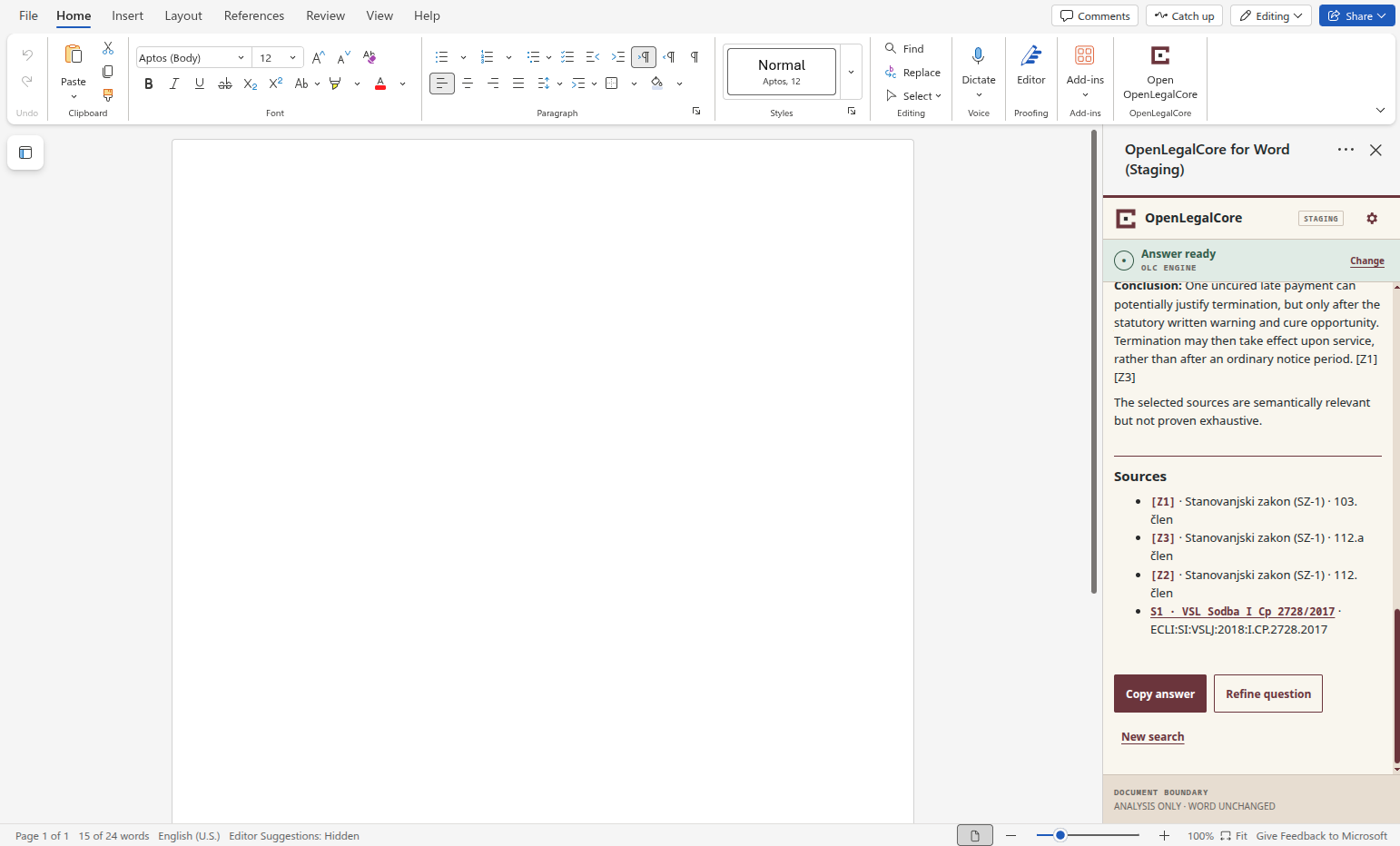
OpenLegalCore Word Connector
Legal research without leaving the document.
Ask freely—or start with exactly what you selected.
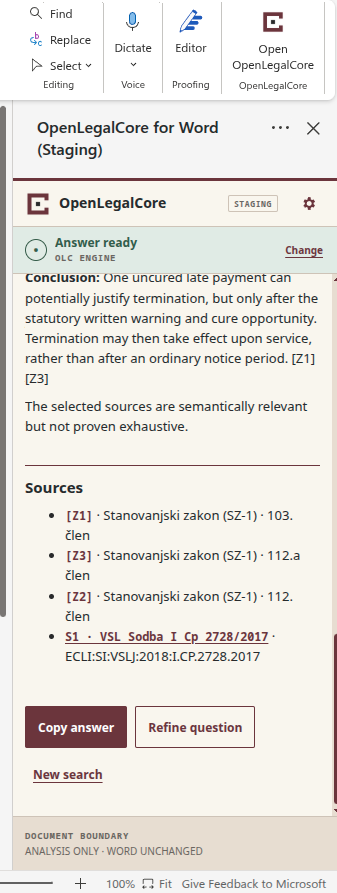
Word Connector returns source-linked analysis beside your draft. Review the answer and its sources; nothing changes in the document without your approval.
- Status
- PUBLIC BETA
- Host
- WORD FOR THE WEB
- Engine path
- OLC ENGINE DIRECT · OPEN WEBUI OPTIONAL
- Licence
- APACHE-2.0
- Document
- USER-CONTROLLED
01 / THE WORKING CONTRACT
The document remains the working surface.
Legal teams already draft, compare and review in Word. Word Connector adds a controlled legal research workflow beside the document: it sends only the context you choose, keeps the answer and sources visible and leaves every document action to you.
- 01
ASK IN PLACE
Question, answer and sources stay beside the draft.
- 02
SEND DELIBERATELY
Send no document text—or only the passage you select.
- 03
DECIDE AFTER REVIEW
Compare the answer with its sources; nothing changes in the document without your approval.
02 / TWO WAYS IN → ONE REVIEW PATH
Two ways in. One source-linked answer.
Start with a standalone question, or select the exact passage that needs analysis and add your question. In both cases, the chosen context, active request, answer, sources and next action remain visible.
ENTRY ANO DOCUMENT CONTEXT
Ask a standalone legal question.
Choose No document context. Word stays open, but no document text is included in the request.
OR
ENTRY BSELECTED TEXT
Send only the passage that matters.
Select the passage, choose Selected text and add your question. The selection is captured when you start the search; Cancel remains available while it runs.
BOTH ROUTES RETURN
SHARED RESULTREVIEW & CONTINUE
Compare the answer with its sources.
Review inline references and the source list in the task pane beside Word. Copy answer, Refine question and New search continue the work without editing the document automatically.
03 / SYSTEM PLACEMENT
Two OLC components can be enough.
The direct path joins the familiar working surface to the legal capability. Open WebUI is available as an optional mediation layer only where an operator already needs it for access, sessions or model routing.
Word Connector → OLC Engine
- Word Connector → OLC Engine
- Word Connector → Open WebUI → OLC Engine
These two OLC components can be the complete visible system for a bounded Word workflow: the connector provides the working surface; OLC Engine provides the legal capability.
Choose this path only where Open WebUI already belongs to the operator’s environment. It mediates access, sessions or model routing; it neither replaces OLC Engine nor becomes a connector dependency.
NEXT SURFACE / OLC OFFICE SUITE
The same visible contract is planned for LibreOffice.
A separately designed LibreOffice connector is intended to preserve the same pattern: an explicit question, bounded document context, source-linked OLC Engine output and no silent document change. This is a direction—not an available implementation or delivery commitment.
04 / CONTROL AND ACCOUNTABILITY
You decide what is sent—and what changes.
Word Connector keeps analysis separate from any document action. It sends only the context you choose and keeps the answer and sources visible for review. Nothing changes in the document without your explicit approval. It also distinguishes the operator’s deployment controls from the professional legal verification that is still required.
- 01
WHAT LEAVES WORD?
Nothing—or the exact selection.
No document context sends no Word content. Selected text sends only the passage captured after an explicit search action; the question stays separate.
- 02
WHAT CHANGES?
Nothing changes without your approval.
The current beta has no Apply, rewrite, redline or automatic insertion action. Any future document action must be separate from analysis and require the user’s explicit approval.
- 03
WHO OPERATES IT?
The operator owns the service boundary.
Identity, hosting, credentials, legal corpora, retention, logging and incident response belong to the chosen deployment.
- 04
WHAT STILL NEEDS REVIEW?
Sources remain the verification point.
Compatibility does not prove corpus completeness or legal correctness. Material propositions, sources and applicable versions still require professional verification.
05 / PUBLIC BETA
Public source. Explicit deployment choices.
The Apache-2.0 repository publishes the task pane, tests, gateway contract and operating guidance. A working deployment still requires OLC Engine, authorised legal-source access, identity, hosting, security and retention choices.
- Version
- 0.1.0-beta.1
- Source
- PUBLIC GITHUB ↗
- Licence
- APACHE-2.0 ↗
- Verified host
- WORD FOR THE WEB
- Untested hosts
- WORD FOR WINDOWS · WORD FOR MAC
- Verified
- 2026-09-07
EVALUATION / INTEGRATION / PARTNERSHIP
Bring OLC to the Word workflow your organisation already uses.
Discuss a bounded pilot, backend integration or operator-controlled deployment. The first conversation needs no confidential documents or credentials.
Microsoft and Word are trademarks of the Microsoft group of companies. Their use here identifies the supported host environment and does not imply sponsorship or endorsement.